
Your MikroTik,
now a paying hotspot.
Click Billing sets up your router once, then runs the business side for you: packages, a branded login page, mobile-money checkout, live sales and payouts to your phone.
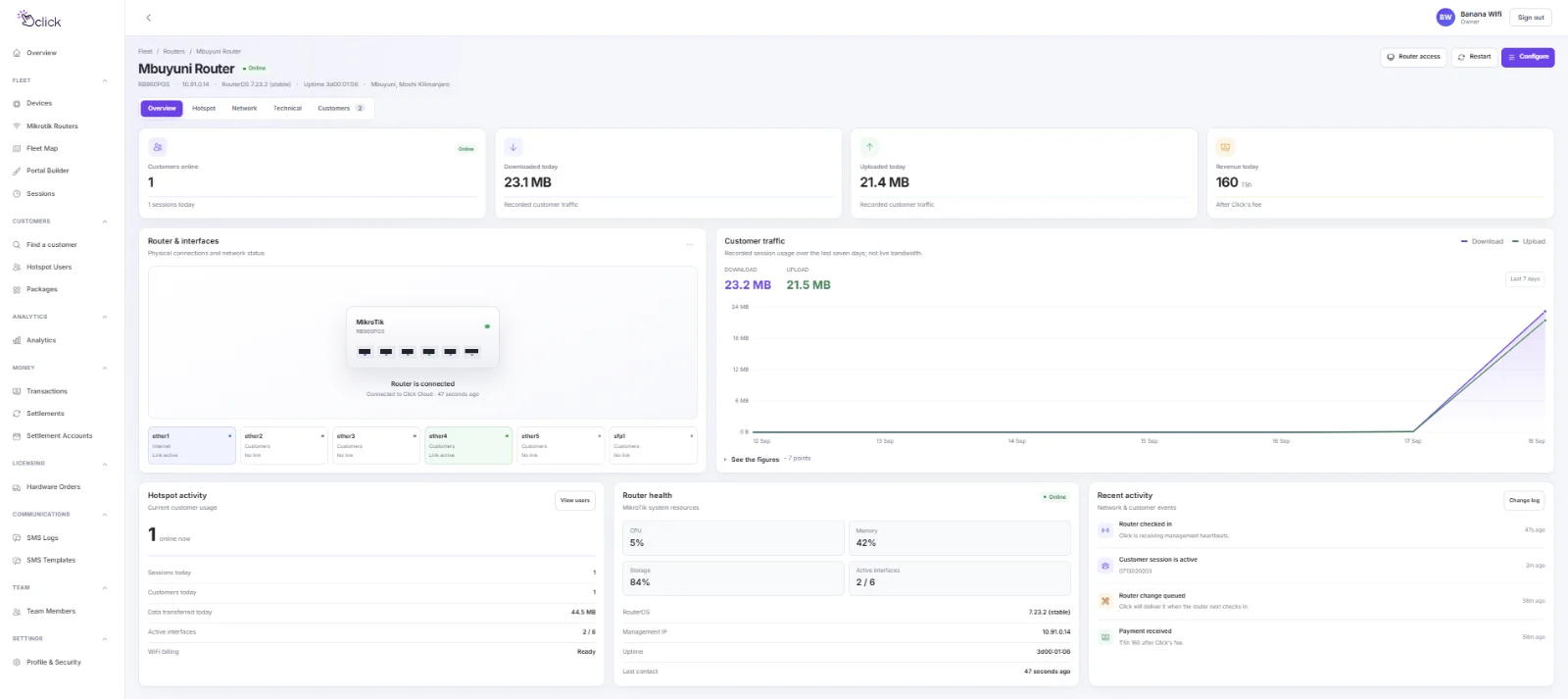
Set up once. Managed from then on.
You run one file on the router. After that, everything happens in your Click dashboard: you never need to open the router again.
Builds your customer network
Your spare ports and WiFi radio become the hotspot. Your internet port is left exactly as your provider set it up.
Installs your login page
Customers see your name and colours, pick a package and pay, all on one page.
Wires up mobile money
M-Pesa, Mixx by Yas, Airtel Money and HaloPesa. The customer approves a prompt on their phone and is online.
Checks in every minute
The router reports who is online and how much data they've used, so your dashboard is always current.
Pushes your changes
A new price, a new login page or a customer extended reaches the router on its next check-in.
Pays you out
Your share is sent to your own mobile-money number weekly or monthly, with every figure on the record.
Sell exactly what your customers want
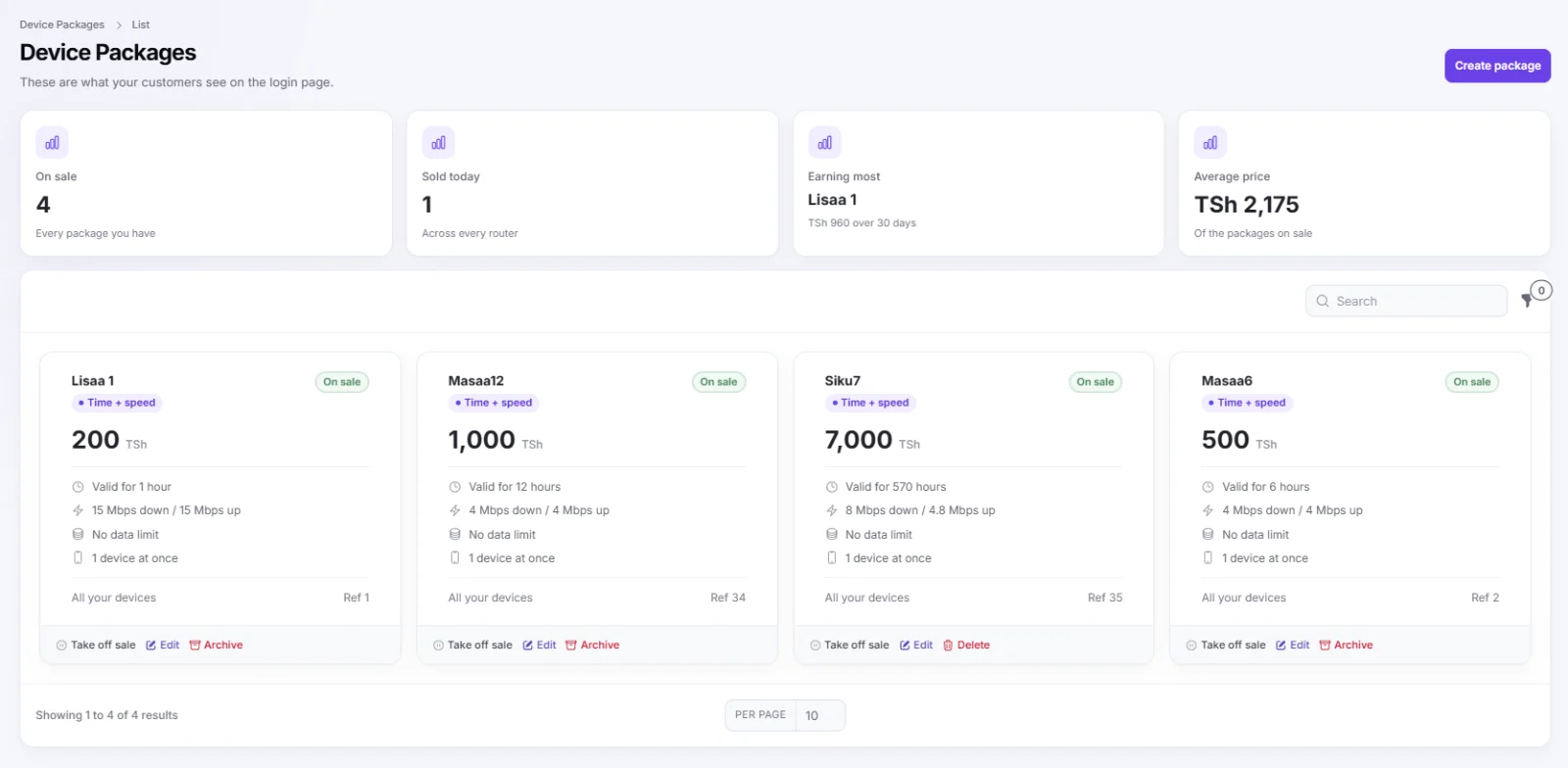
Set a price, how long it lasts, the speed and how many devices can share it. Your best seller and average price sit at the top, and a package can be taken off sale in one tap.
A login page with your name on it
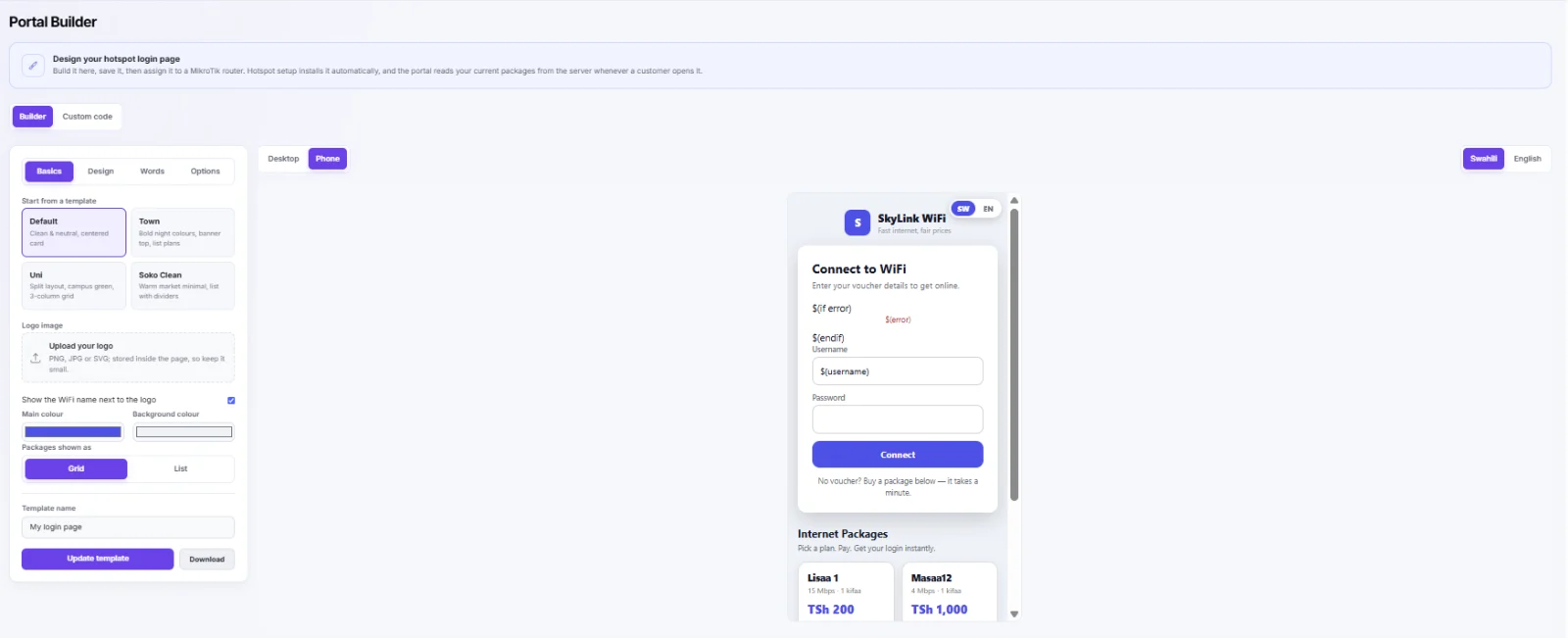
Start from a template, add your logo and colours, and edit the words in Swahili and English. Preview it as a phone or a desktop, then send it to your routers.
Know what every router earns
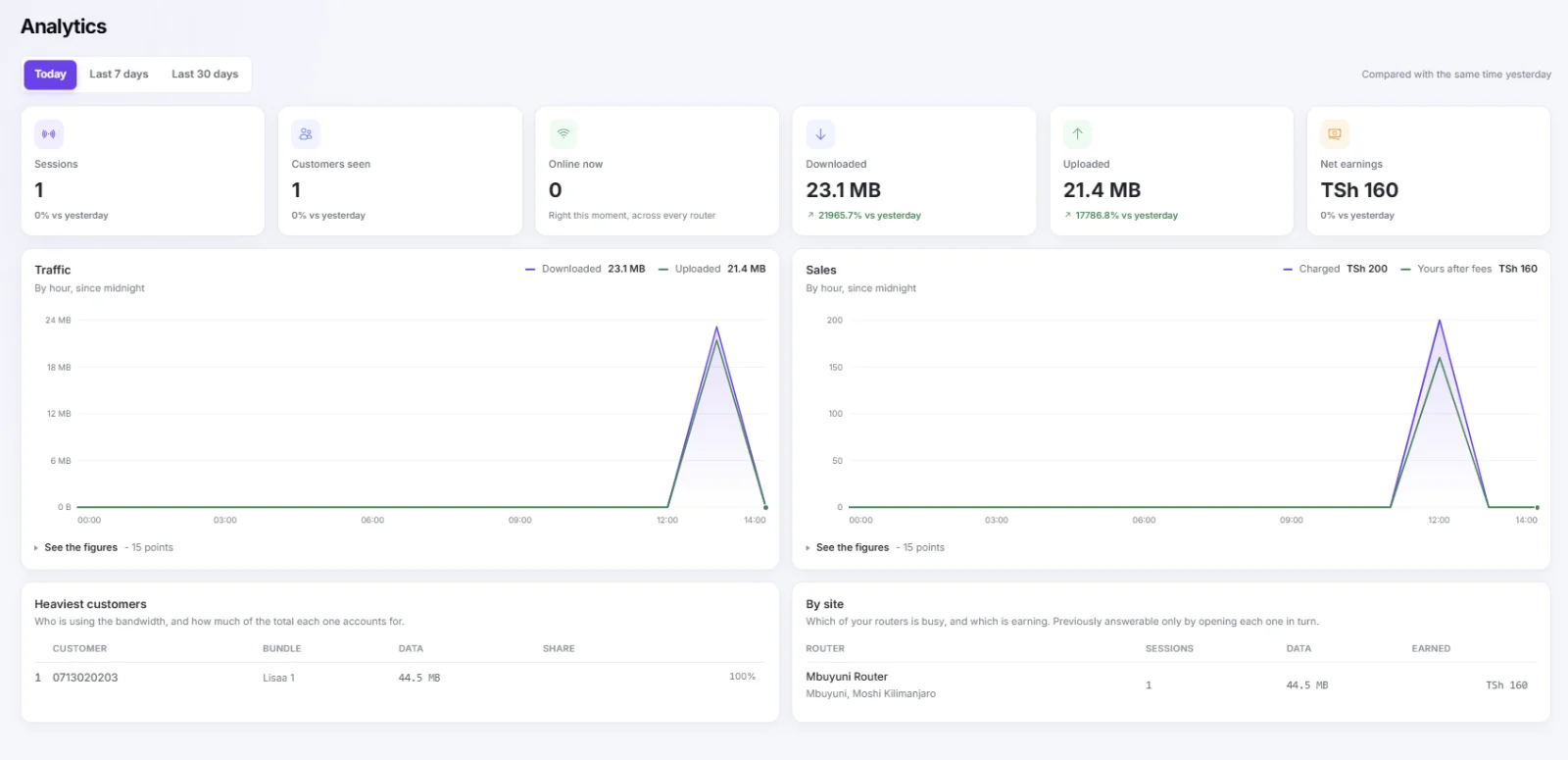
Sessions, customers, data and earnings, today or over 30 days, with your heaviest users and each site side by side.
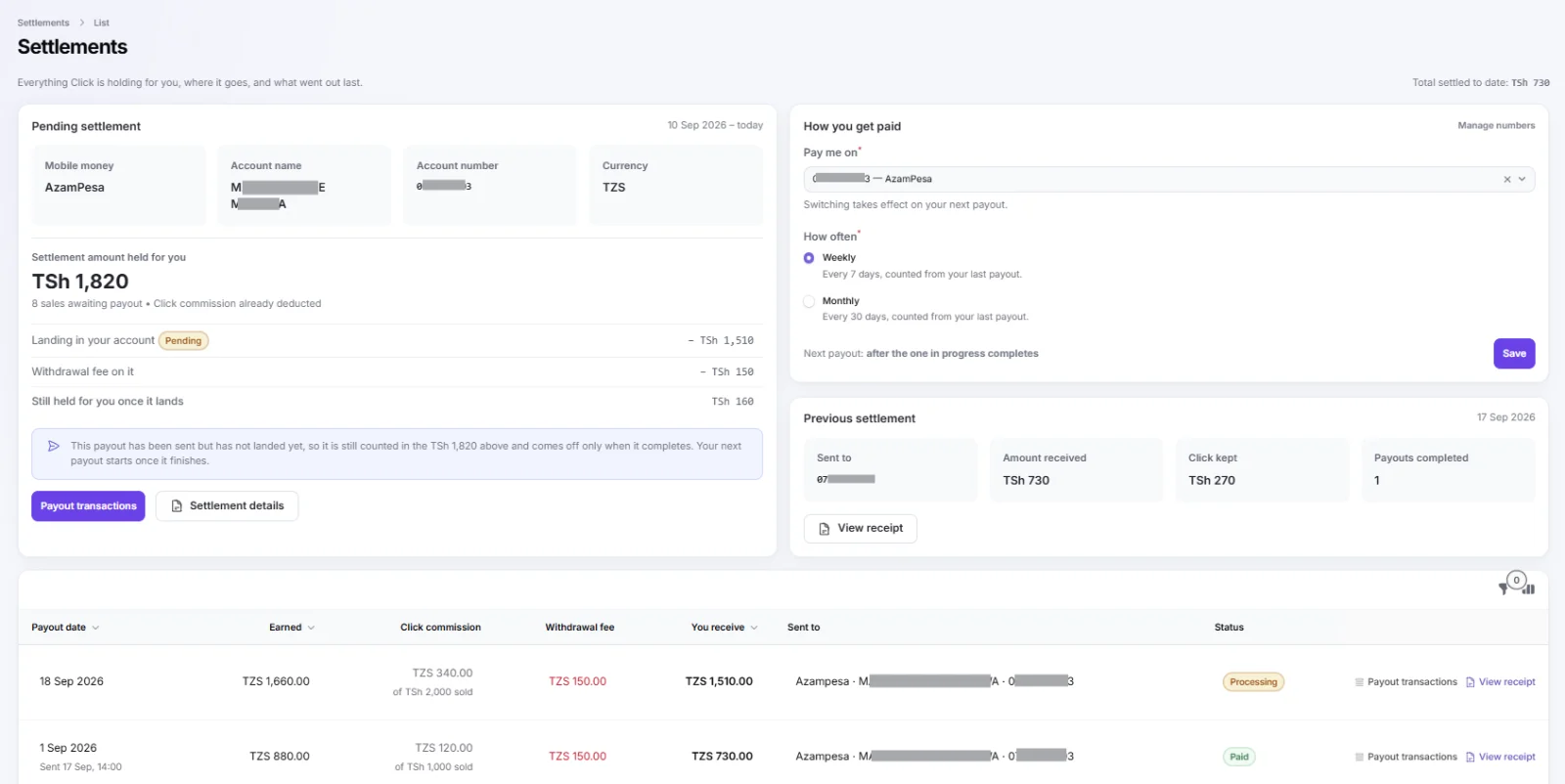
See every shilling before it reaches you
What Click is holding for you, the fee on each payout, where the money is going and a receipt for everything already paid. Pick weekly or monthly.
Simple, and only when you earn
No setup fee, no monthly fee, no contract. If your customers don't pay, neither do you.
per successful customer payment
- Example: a TSh 1,000 package costs you TSh 120, you keep TSh 880
- The payout fee is per payout, not per sale, so small packages stay worth selling
- Want a router too? Add one at checkout and pay for it by mobile money
What would you keep in a month?
An example over 30 days. Weekly means about 4 payouts a month, each with its own TSh 150 fee; monthly is one. No setup fee and no monthly fee.
What you need
- A MikroTik router running RouterOS 7
- A model that can run User Manager. The small SMIPS models (such as the hAP lite) can't, and Click checks this before you run anything
- About five minutes with the router and a phone or computer
- A mobile-money number for your payouts
Four steps to your first sale
Create your account
Business name, email and phone. We text you a code to confirm the number. Takes two minutes.
Add your router and run the setup file
Download it from your dashboard, drop it on the router and reset. The status turns green on its own.
Create packages and your login page
Choose prices, time or data and speeds. Add your name and colours.
Turn on billing and test it
Buy a package yourself with your phone. When that works, you're open for business.
Click Billing, answered
Do I need to buy special hardware?
How and when do I get paid?
What does Click charge?
Will my internet connection still work the same?
Can I run more than one site?
Can my staff use the dashboard?
Open for business this week
Create your account now. It's free until your customers pay you.