Sell WiFi.
Get paid by mobile money.
Customers pay from their phone and are online in seconds. You see every sale, and your earnings go to your own number.
Live in an afternoon, not a week
No technician needed. If you can log in to your router, you can set this up.
Connect your MikroTik
Sign up, add your router in the dashboard and run the setup file we give you. About five minutes at the router, once.
Customers connect & pay
They join your WiFi, pick a package on your branded page and approve the payment on their phone. They're online right away.
Get paid to your phone
Every sale shows up in your dashboard the moment it's paid. Your share is sent to your own mobile-money number, weekly or monthly.
The dashboard you'll run it from
Real screens from a Click Billing account. Everything works on a phone, too.
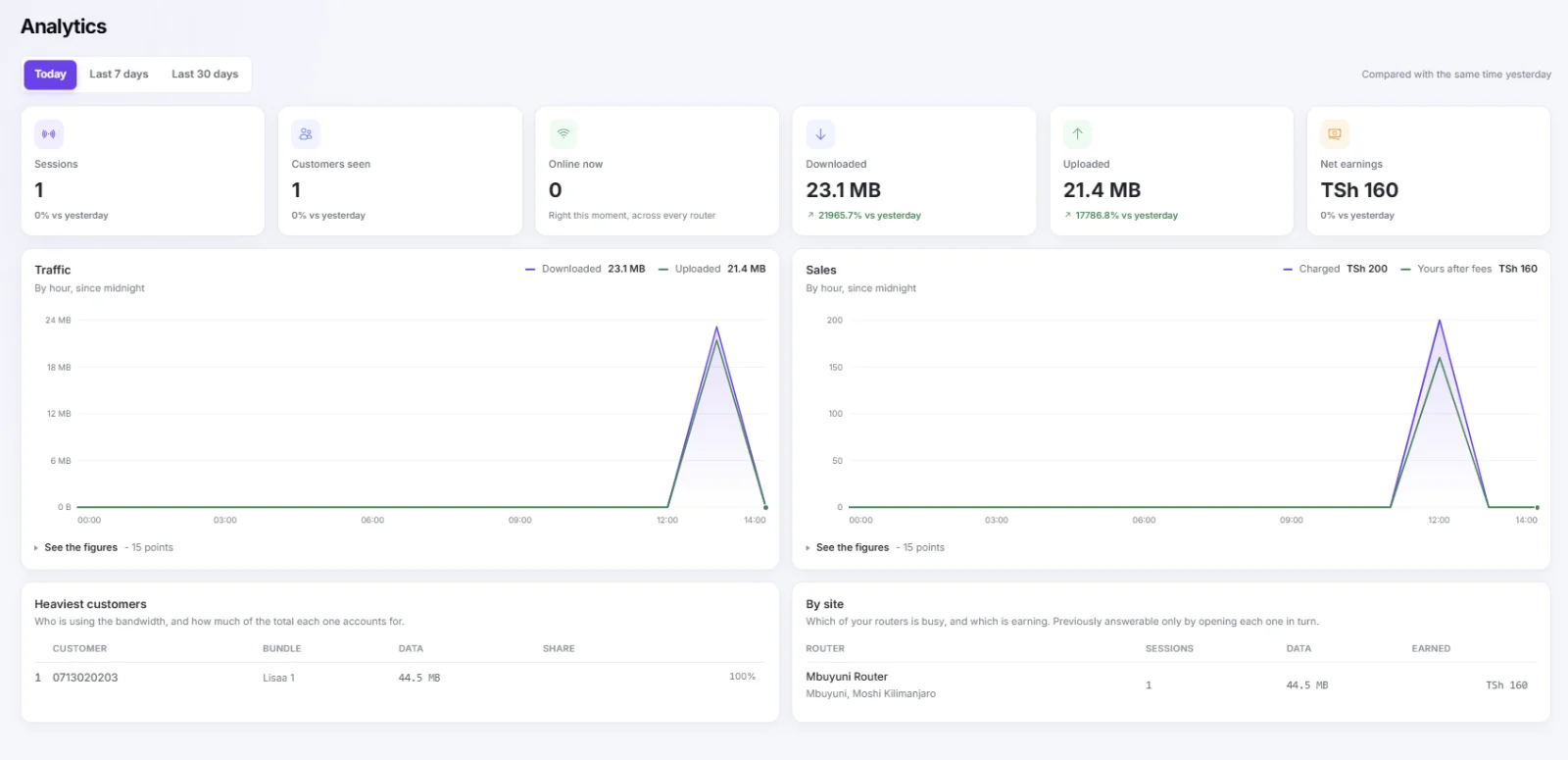
Sessions, customers, data and earnings for today, the last 7 or 30 days, with your busiest customers and every site side by side.
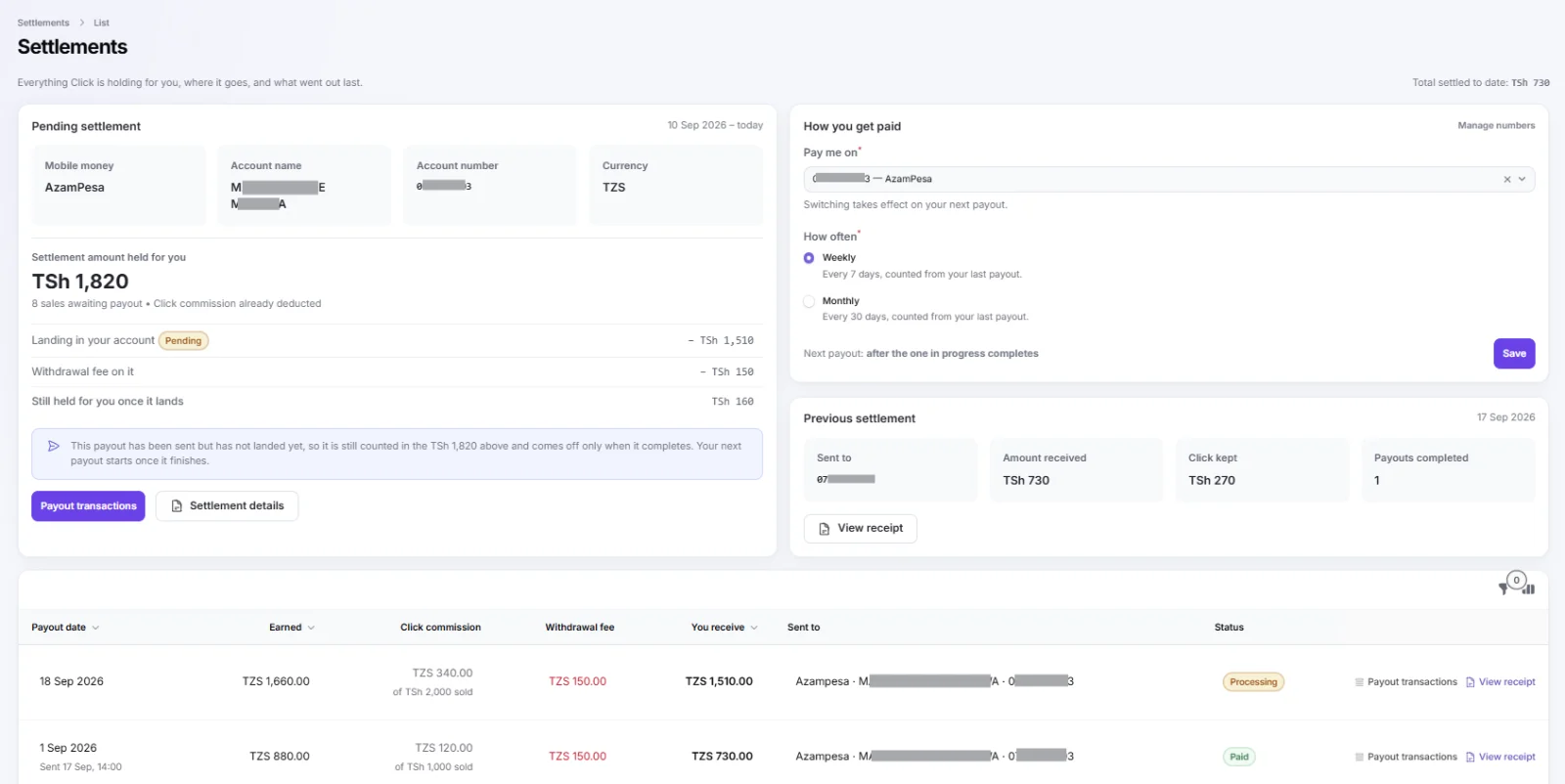
What Click is holding for you, where it goes, and every payout with its fee and receipt. Choose weekly or monthly.
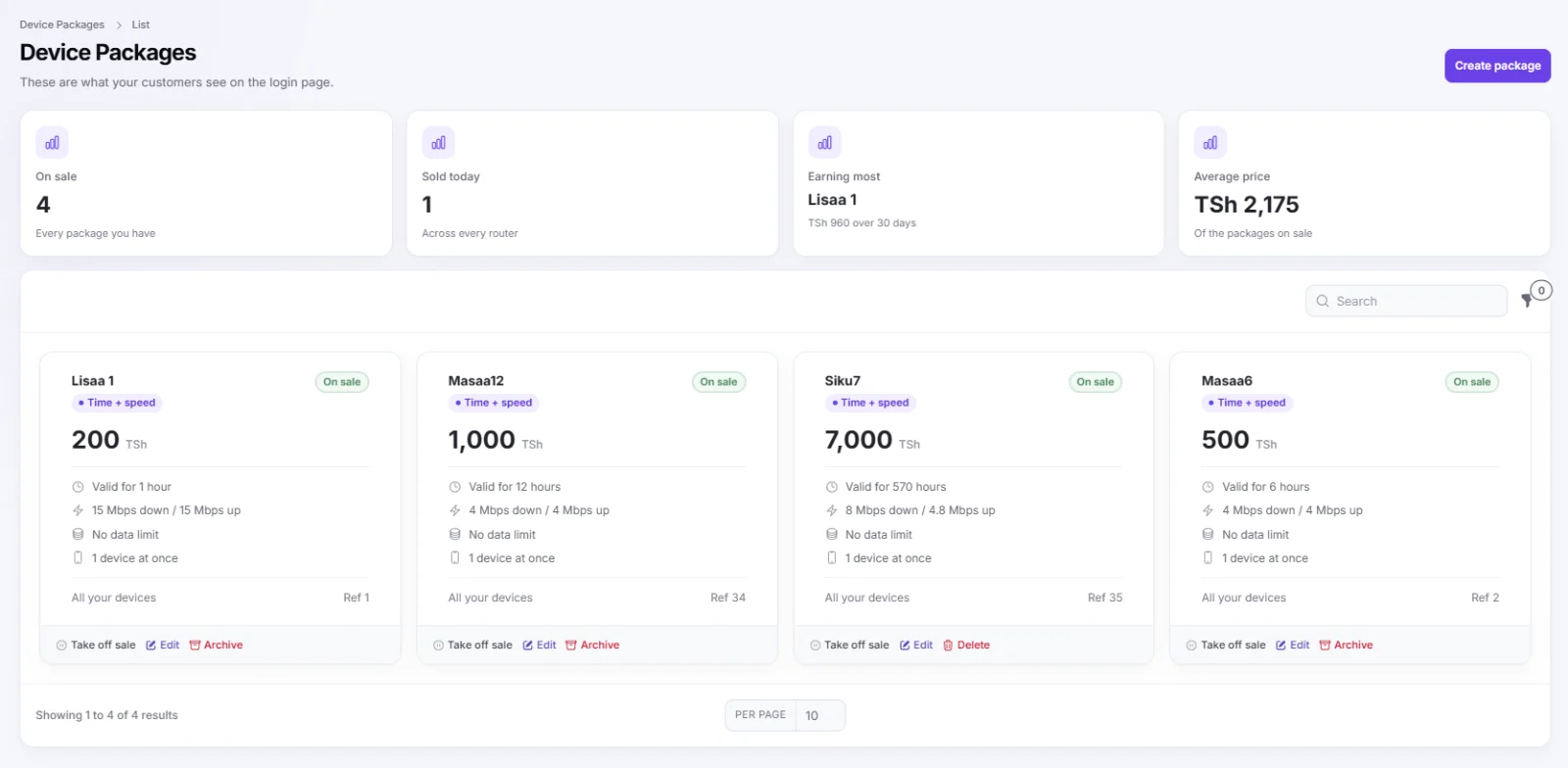
Set the price, time, speed and number of devices for each package. What sells best is right at the top.
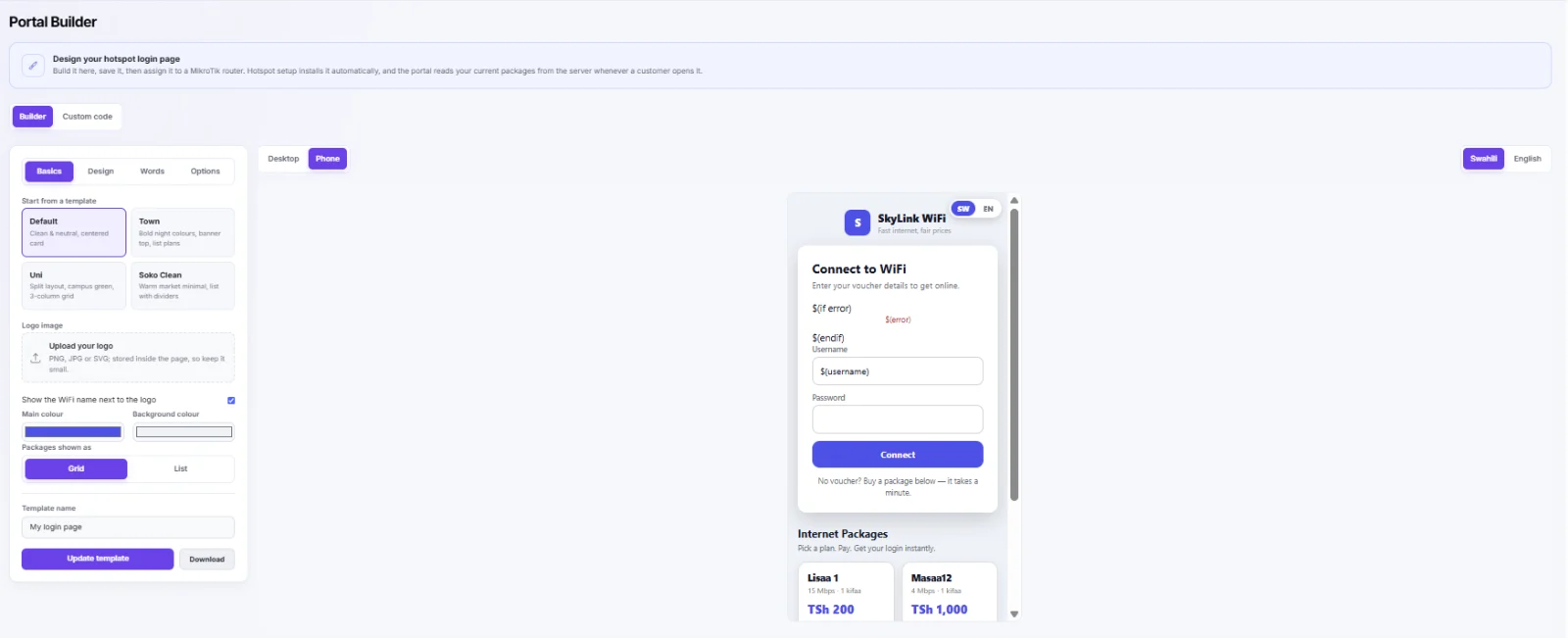
Design the page customers see when they connect, in Swahili and English, and send it to your routers.
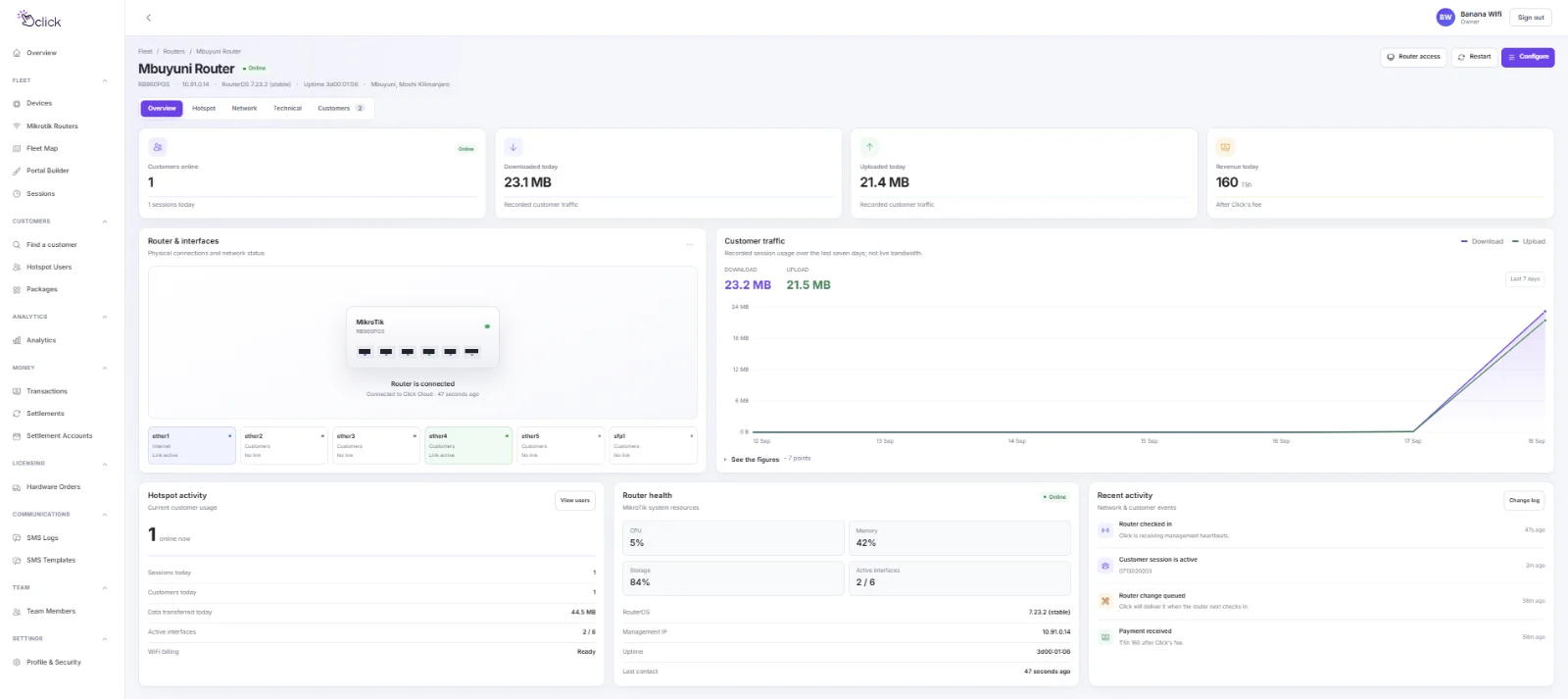
Each router's health, ports, customers online and traffic, checked in every minute.
Everything a hotspot business needs
One dashboard for your packages, your customers and your money.
Packages & vouchers
Sell by the hour, day, week or data bundle. Set your own prices and speeds.
Mobile-money checkout
Customers pay on your login page with a push prompt. No agent, no scratch cards.
Your own login page
Your name, logo and colours on the page customers see when they connect.
Live sales & customers
See who is online and what you've earned today, from any phone.
Payouts to your phone
Your earnings go to your own mobile-money number, weekly or monthly, with every figure shown.
Local support
Talk to a real person in Dar es Salaam by phone or WhatsApp.
You only pay when you get paid
No setup fee, no monthly fee, no contract. Click takes a small share of each sale, and a flat fee on each payout to your phone.
per successful customer payment
What would you keep in a month?
An example over 30 days. Weekly means about 4 payouts a month, each with its own TSh 150 fee; monthly is one. No setup fee and no monthly fee.
A MikroTik router. That's it.
Click Billing runs on the MikroTik you already have. Don't have one? We'll ship one ready to go.
- A MikroTik on RouterOS 7 that can run User Manager, such as the hAP ac², hEX or RB4011
- An internet connection for your hotspot
- A mobile-money number to receive your earnings
- About five minutes at the router to run the setup file
Check before you buy
MikroTik does not publish User Manager for SMIPS-based routers (for example the hAP lite), so those can't run Click Billing. If you're not sure about yours, send us the model on WhatsApp and we'll tell you.
Ask on WhatsAppGood to know
How do I get my money?
Are there monthly fees?
Which networks can my customers pay with?
Can I set my own prices and speeds?
Will setting up wipe my router?
What if I get stuck setting up?
More ways to run WiFi
Router software for resellers, hotels and ISPs is on the way. Leave your number and we'll tell you when it launches.
Ready to start earning from your WiFi?
Create your account in a few minutes. It's free until your customers pay you.